

What Is Site Speed, Really?
Site speed measures how quickly a browser can download, render, and make a webpage usable after someone clicks a link. But that single idea splits into several distinct moments a user experiences:
- How fast something appears on screen (loading)
- How fast the page looks “done” (visual completeness)
- How fast it responds when they tap or click (responsiveness)
- Whether the layout jumps around while it loads (stability)
Google doesn’t grade your site on a single load-time number. It grades each of these moments separately, using real visits from real Chrome users — not a lab test on a fast office connection. That distinction matters more than most site owners realize, and it’s the first thing to get right before chasing any fix.
The Metrics That Actually Decide Your Ranking: Core Web Vitals in 2026
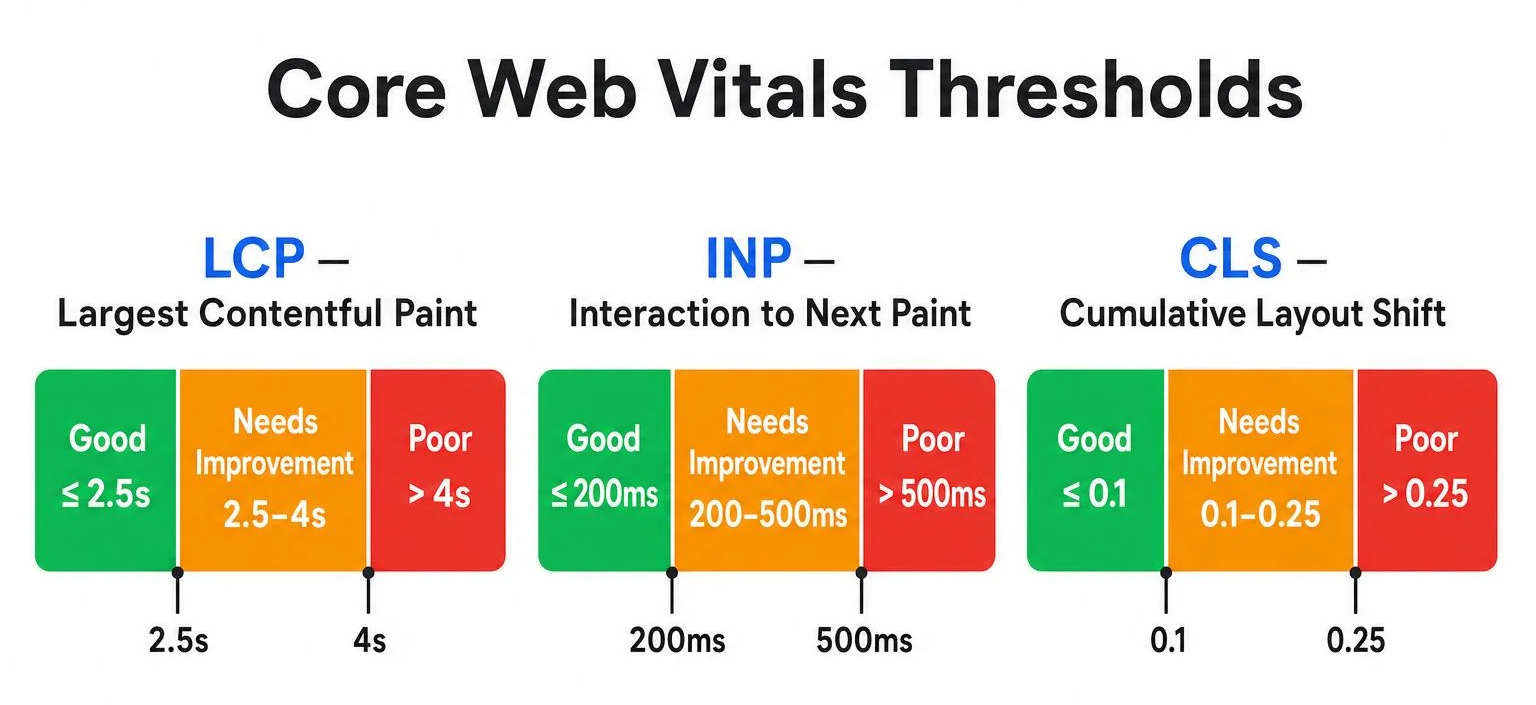
Google’s Core Web Vitals are the three field metrics that make up its page experience signal. As of 2026, the thresholds Google has published in its official Search Central documentation remain:
| Metric | What It Measures | “Good” Threshold |
|---|---|---|
| Largest Contentful Paint (LCP) | How long the biggest visible element (usually a hero image or headline) takes to render | Under 2.5 seconds |
| Interaction to Next Paint (INP) | How quickly the page responds to any click, tap, or keypress across the full visit | Under 200 milliseconds |
| Cumulative Layout Shift (CLS) | How much content jumps around unexpectedly as the page loads | Under 0.1 |
A few things worth clearing up, because misinformation about this spreads fast in SEO circles:
- INP replaced First Input Delay (FID) in March 2024 — not in some new 2026 update. If you’re reading advice that still mentions FID, it’s outdated.
- Google scores you at the 75th percentile of real visits over a rolling 28-day window via the Chrome User Experience Report (CrUX). That means a page only “passes” once at least 75% of real visitors experienced a good score — a perfect Lighthouse test on your laptop means little if most of your traffic is on a three-year-old Android phone with patchy 4G.
- Passing all three doesn’t guarantee top rankings, but failing them puts a ceiling on how well even great content can perform. Think of Core Web Vitals as a gate, not a ranking boost.
- INP is currently the metric most sites fail — roughly 43% of sites miss the 200ms threshold — because fixing it means restructuring JavaScript execution, not just adding a caching plugin.
Google has published real case-study evidence for this too: when Vodafone Italy improved its Largest Contentful Paint by 31%, it saw an 8% increase in sales, a 15% improvement in lead-to-visit rate, and an 11% improvement in cart-to-visit rate.
Beyond Core Web Vitals: The Supporting Metrics
Core Web Vitals get the spotlight, but these diagnostic metrics explain why your Core Web Vitals look the way they do:
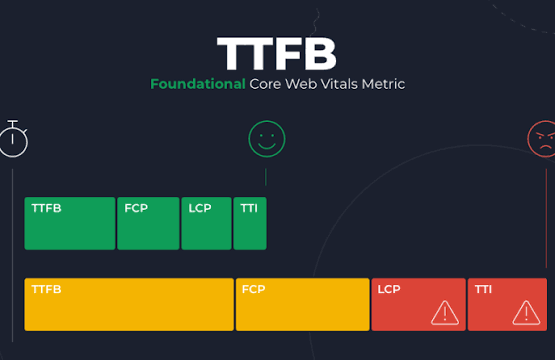
- Time to First Byte (TTFB): how long your server takes to respond at all. A slow TTFB drags down every other metric downstream of it.
- First Contentful Paint (FCP): when the first pixel of actual content appears.
- Time to Interactive (TTI): when the page is fully usable, not just visible.
- Total Blocking Time (TBT): how long the main thread is too busy running scripts to respond to input — the lab-test cousin of INP.
Why Site Speed Is a Business Problem, Not Just a Dev Problem
The Direct Cost of Slow Pages
The numbers here are consistent across independent studies, and they compound:
- A one-second delay in load time can cost roughly 7% of conversions, alongside drops in page views and satisfaction.
- Nearly half of users expect a page to load in under two seconds, and a two-second delay can push bounce rates up by over 100%.
- In eCommerce specifically, up to 40% of visitors abandon a site that takes longer than three seconds to load.
- Amazon has publicly estimated that a one-second delay could cost it $1.6 billion in annual sales — a scale most businesses don’t operate at, but the proportional impact on a smaller site’s revenue is just as real.
The SEO Cost
Site speed has directly influenced Google rankings since 2010 for desktop, and since 2018 for mobile. In 2026, that influence runs through Core Web Vitals as part of Google’s broader page experience signals. A site stuck in “Poor” doesn’t get a manual penalty — it simply competes with one hand tied behind its back against faster competitors targeting the same keywords. Google explains this philosophy directly on its Search Central blog, which is worth following for any site owner serious about staying current on ranking factors.
The New Factor: AI Search and Speed
This is the part most 2023-era guides never mention. AI-driven search — Google’s AI Overviews, ChatGPT search, Perplexity, and Gemini — relies on crawlers and real-time fetchers that need to render your page quickly and cleanly to extract accurate information. Pages with heavy render-blocking JavaScript, slow TTFB, or unstable layouts are harder for these systems to parse reliably, which can mean getting skipped in favor of a faster, cleaner competitor page. Fast, well-structured HTML with clear headings isn’t just good for Googlebot anymore — it’s good for every AI system pulling from the web.
How to Check Your Current Site Speed (Do This First)
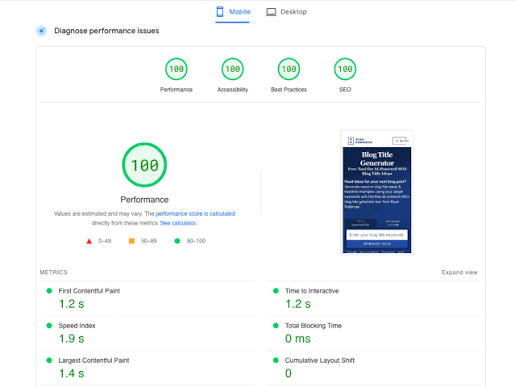
Before changing anything, get a real baseline:
- Google PageSpeed Insights — free, and pulls real CrUX field data alongside a lab test.
- Google Search Console → Core Web Vitals report — shows which URL groups are failing, at scale, based on actual visitor data.
- GTmetrix or WebPageTest — useful for a deeper waterfall view of exactly what’s blocking your load.
- Chrome DevTools (Lighthouse + Performance tab) — best for diagnosing specific JavaScript bottlenecks behind a poor INP score.
Run the test on your real, most-visited pages — homepage, top product or service pages, and blog posts driving organic traffic — not just your homepage in isolation.
8 Proven Ways to Improve Site Speed in 2026

- Fix Images Before Anything Else
Images typically account for over half of a page’s total weight, so this is usually the highest-leverage fix available.
- Use WebP or AVIF instead of JPEG/PNG where possible — AVIF in particular often beats WebP on compression for photographic content while holding quality.
- Compress everything with a tool like TinyPNG, Squoosh, or an automated plugin such as ShortPixel or Imagify for WordPress.
- Lazy-load offscreen images so the browser doesn’t waste bandwidth loading content the user hasn’t scrolled to yet — but never lazy-load your LCP element (usually the hero image), since that delays the very metric you’re trying to improve.
- Preload the LCP image using <link rel=”preload”> so the browser fetches it immediately instead of discovering it late in the HTML.
- Always set explicit width and height attributes on every image to prevent layout shift while it loads.
- Reduce and Restructure JavaScript (This Is Your INP Fix)
INP is the hardest Core Web Vital to fix precisely because it’s rarely one thing — it’s usually death by a thousand small scripts.
- Break up long JavaScript tasks so the browser’s main thread can respond to a user’s tap instead of finishing a 300ms script first.
- Defer non-critical JavaScript (chat widgets, analytics, marketing pixels) so it loads after the page is usable, not before.
- Audit and remove unused third-party scripts — every extra plugin or tracking tag on a WordPress or Shopify site adds to the JavaScript your visitor’s browser has to parse.
- Use code-splitting on custom-built sites so users only download the JavaScript needed for the page they’re on.
- Enable Browser and Server-Side Caching
- Apache servers: set Expires and Cache-Control headers via .htaccess, or use a plugin like WP Rocket or W3 Total Cache on WordPress.
- Nginx servers: configure FastCGI caching directives directly in nginx.conf.
- LiteSpeed servers: use the built-in LiteSpeed Cache, which integrates especially well with WordPress.
- Combine this with server-side full-page caching so repeat visitors and even first-time visitors on cached pages get a near-instant TTFB.
- Minify and Combine CSS, JS, and HTML
Stripping whitespace, comments, and redundant code reduces file size and the number of requests the browser has to process. Most modern build tools (or WordPress plugins like Autoptimize) handle this automatically — manual minification is rarely necessary in 2026 unless you’re maintaining a legacy custom stack.
- Deploy a CDN (Content Delivery Network)
A CDN caches your site’s static assets across servers worldwide, so visitors load content from a server physically near them instead of your single origin server. This is non-negotiable if you serve an audience outside your hosting region — the latency savings alone can shave hundreds of milliseconds off TTFB. Cloudflare, BunnyCDN, and Amazon CloudFront are common choices depending on budget and technical setup.
- Prioritize Mobile Performance
Google indexes and ranks based primarily on your mobile experience, not desktop. A one-second improvement in mobile speed has been linked to conversion rate gains of up to 27%. Beyond raw speed, this means:
- Responsive design that adapts cleanly to any screen size
- Touch-friendly UI with adequately sized tap targets, per W3C accessibility guidance
- Progressive Web App (PWA) features where relevant, for offline access and app-like engagement
- Reduce Redirect Chains
Every redirect adds a full round-trip HTTP request before the browser even starts loading the destination page. Audit your redirects with a tool like Screaming Frog and eliminate chains — redirect A → C directly instead of A → B → C.
- Choose Hosting Built for Speed, Not Just Cheap
A perfectly optimized front end still crawls if it’s sitting on an overloaded, budget shared server. Look for:
- Server location near your primary audience
- Dedicated or sufficient resources (CPU, RAM, I/O) rather than heavily oversold shared hosting
- Modern infrastructure — NVMe/SSD storage, HTTP/2 or HTTP/3 support, and server-level caching
If your hosting plan costs a few dollars a month, it’s very likely sharing resources with hundreds of other sites — and no amount of image compression will fully compensate for that.
A Realistic Improvement Workflow
- Fix whichever Core Web Vital is currently in the “Poor” band first — don’t spend time polishing a metric that’s already green.
- Tackle INP second if it’s failing — it’s the hardest but often the highest-impact fix.
- Then LCP, since it carries strong commercial impact tied directly to perceived load speed.
- Then CLS, typically the fastest metric to fix once dimensions and reserved space are in place.
- Re-test and wait — CrUX data refreshes on a rolling 28-day window, so give changes time before judging results.
- Monitor continuously. New plugins, ad scripts, and content updates can quietly reintroduce the problems you just fixed.
Conclusion: Speed Is No Longer Optional
Website speed sits at the intersection of user experience, SEO, and revenue — and increasingly, of AI-driven search visibility too. The businesses winning in 2026 aren’t necessarily the ones with the most content; they’re the ones whose pages load fast, respond instantly, and stay visually stable long enough for both humans and search algorithms to trust them.
The good news: you don’t need to fix everything today. Start with the metric currently failing hardest in your Search Console report, apply the corresponding fix from this guide, and re-measure. Small, consistent performance work compounds into meaningfully better rankings and conversions over time.
Frequently Asked Questions
What is a good page load time for SEO in 2026?
Under 2.5 seconds for Largest Contentful Paint is Google’s published “good” threshold, though users generally expect meaningful content to appear in under 2 seconds overall.
Does site speed directly affect Google rankings?
Yes. Google has factored page speed into rankings since 2010 for desktop and 2018 for mobile, and Core Web Vitals remain part of its page experience signals today. Speed won’t outrank thin content, but poor Core Web Vitals can cap how well even strong content performs.
What’s the difference between Core Web Vitals and page speed?
Page speed is the broad concept of how fast a page loads. Core Web Vitals are Google’s specific, measured metrics (LCP, INP, CLS) used to quantify parts of that experience using real user data.
Why did my Core Web Vitals report change without me touching my site?
Core Web Vitals scores are based on a rolling 28-day window of real visitor data, so scores can shift due to changing traffic patterns, new third-party scripts, seasonal device mix, or ad network changes — not just your own edits.
What is INP and why does it matter more than FID now?
Interaction to Next Paint measures the responsiveness of every interaction throughout a visit, not just the first one, which is why it replaced First Input Delay in March 2024. It’s currently the Core Web Vital most sites fail.
Can I improve site speed without a developer?
Partially. Image compression, caching plugins, and CDN setup can often be handled through WordPress plugins or hosting-panel settings. However, INP fixes usually require JavaScript-level changes that benefit from developer involvement.
How often should I check my site speed?
Monthly at minimum, and immediately after any major theme, plugin, or redesign change. Set up Search Console email alerts for Core Web Vitals regressions if available.