Introduction: Why Google Search Console Is the Foundation of Modern SEO (2026 Update)
If your website is not performing in Google Search or AI-powered search results (like AI Overviews, ChatGPT browsing, Perplexity, or Gemini answers), you are missing critical visibility signals that start with one tool—Google Search Console (GSC).
Google Search Console is no longer just an SEO reporting dashboard. In 2026, it has become a core visibility engine for both traditional Google Search and AI-driven search systems. It tells you exactly how Google understands your website, which pages are being indexed, what queries bring traffic, and why certain pages fail to rank.
In simple terms:
If Google Analytics shows what users do on your website, Google Search Console shows how Google sees your website.
This guide explains everything you need to use GSC like a professional SEO strategist—covering indexing, performance tracking, backlinks, Core Web Vitals, AI search optimization signals, and advanced SEO workflows.
Book a 15-minute SEO audit call
What Is Google Search Console? (Definition + 2026 Context)
Google Search Console is a free SEO and website performance tool by Google that helps website owners monitor, maintain, and improve their presence in Google Search.
In 2026, GSC is also widely used for:
- AI search visibility optimization (AI Overviews, generative answers)
- Content indexing validation
- Page experience evaluation
- Search intent alignment tracking
- Technical SEO diagnostics
Key Data Provided by Google Search Console
- Search impressions and clicks
- Keyword performance (queries)
- Index coverage status
- Mobile usability signals
- Core Web Vitals performance
- Backlink and internal link structure
- Sitemap and crawling reports
GSC starts collecting data only after verification and retains historical data for up to 16 months.
Click here to know more about Google Search Console.
Book a 15-minute SEO audit call
Why Google Search Console Is Critical for SEO in 2026
Modern SEO is no longer about keywords alone—it is about search visibility signals across multiple systems, including AI search engines.
GSC helps you:
- Understand Search Intent
Identify what users actually search before landing on your website.
- Improve AI Overview Eligibility
Pages with strong CTR, structured data, and indexing consistency are more likely to appear in AI-generated summaries.
- Fix Indexing & Crawling Issues
Ensure your pages are accessible to Googlebot and not blocked or ignored.
- Improve Ranking Performance
Use real search data instead of assumptions.
Book a 15-minute SEO audit call
How to Set Up Google Search Console (Step-by-Step 2026 Guide)
Step 1: Create Your Property
- Go to Google Search Console
- Click “Add Property”
- Enter your domain (preferred method: Domain property)
Step 2: Verify Ownership
Choose one method:
✔ DNS Verification (Recommended)
Add a TXT record in your domain provider.
✔ HTML File Upload
Upload a verification file to your server.
✔ HTML Meta Tag
Paste a tag inside your homepage <head> section.
✔ Google Tag Manager
Instant verification if GTM is installed.
Step 3: Connect Google Analytics
Linking with Google Analytics allows:
- Cross-platform insights
- Behavior + search correlation
- Conversion tracking from organic traffic
Learn more:
https://www.google.com/intl/en_in/search/howsearchworks/how-search-works/
Book a 15-minute SEO audit call
Core Features of Google Search Console (Explained for 2026 SEO)
1. Performance Report (Search Intelligence Hub)
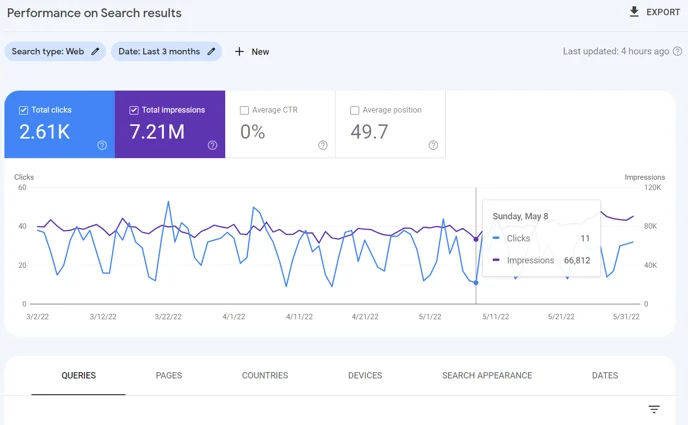
Shows:
- Clicks
- Impressions
- CTR
- Average position
- Search queries
Use it to:
- Find low CTR pages
- Discover high-impression keywords
- Identify ranking opportunities
2. URL Inspection Tool (Indexing Control Center)
Check:
- Whether a page is indexed
- Mobile usability status
- Crawl errors
- Structured data issues
You can also request instant re-indexing after updates
3. Coverage & Indexing Report
Helps identify:
- Indexed pages
- Excluded pages
- Crawl errors
- Duplicate or canonical issues
4. Links Report (Authority Insights)
Tracks:
- External backlinks
- Internal linking structure
- Top linked pages
- Anchor text distribution
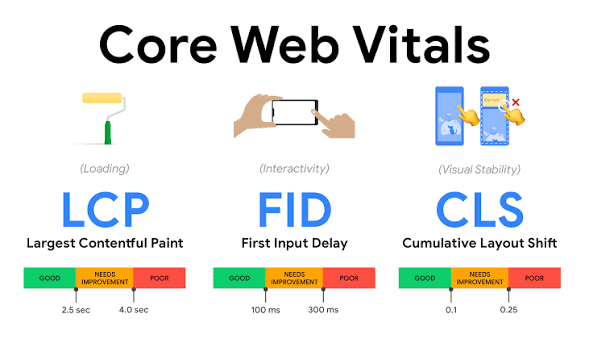
5. Core Web Vitals (Page Experience Signals)
Measures:
- LCP (loading speed)
- INP (interaction speed)
- CLS (visual stability)
Book a 15-minute SEO audit call
How to Use Google Search Console for SEO Growth (2026 Strategy)
1. Keyword Optimization Strategy
Find:
- High impressions + low CTR keywords
- Pages ranking on page 2 (positions 8–15)
Action:
- Improve title tags
- Rewrite meta descriptions
- Add FAQ schema
2. Content Gap Discovery
Use query data to identify:
- Missing topics
- Underperforming content clusters
- AI search opportunities
3. Ranking Improvement Workflow
- Identify pages with declining impressions
- Update content freshness
- Add internal links from high-authority pages
4. Technical SEO Fixes
- Fix crawl errors
- Submit updated sitemap
- Remove duplicate URLs
- Improve mobile usability
Book a 15-minute SEO audit call
How to Fix Indexing Issues in Google Search Console
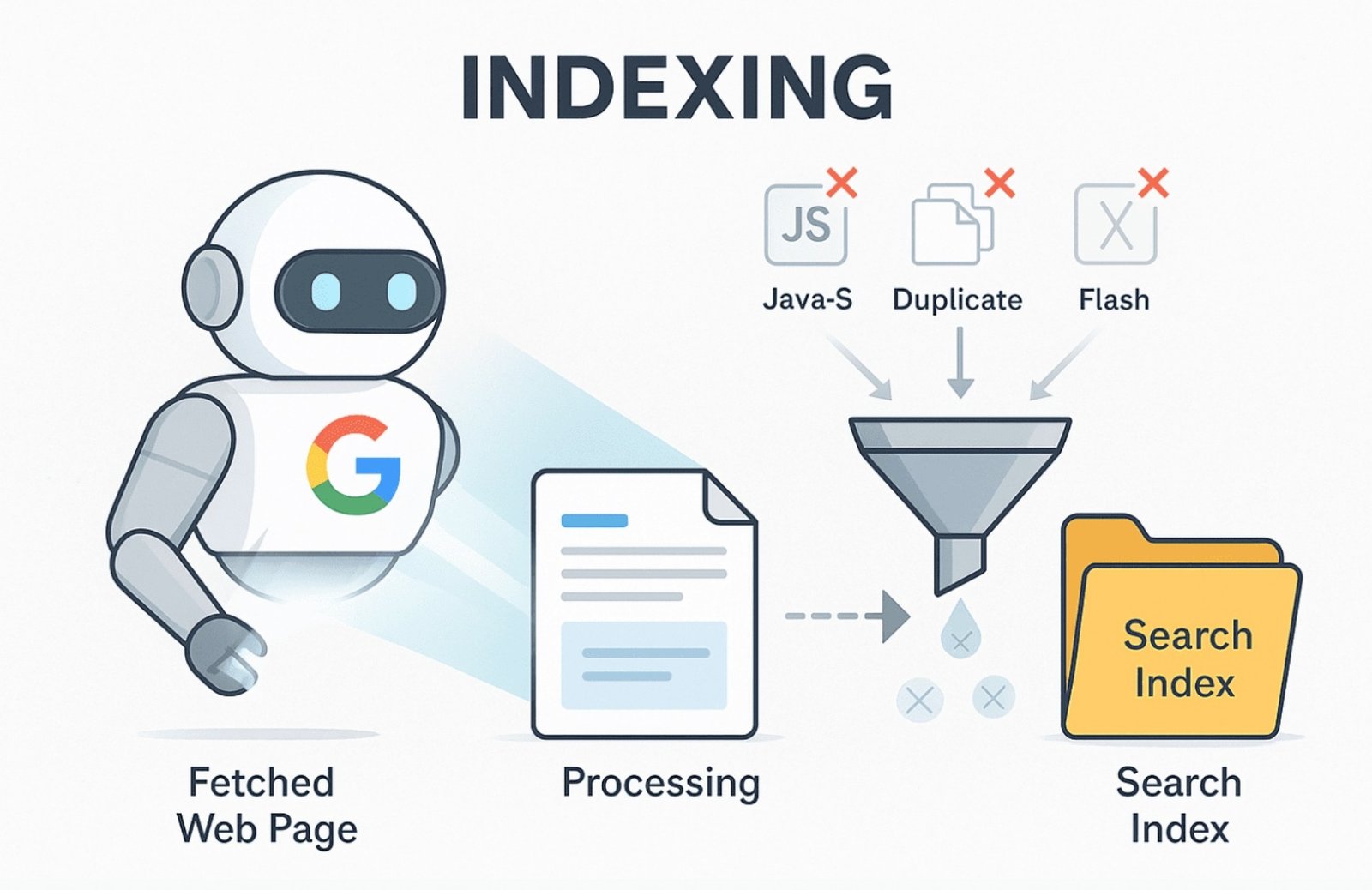
Indexing problems fall into four categories:
❌ Errors
- Server issues
- 404 pages
- Redirect failures
⚠️ Warnings
- Indexed but problematic pages
⛔ Excluded Pages
- Blocked by robots.txt
- Canonical duplicates
✔ Valid Pages
- Properly indexed content
Use URL Inspection → Request Indexing after fixes
Backlinks & Internal Linking Strategy (GSC Insights)
Backlinks are still a major ranking factor in 2026, but now Google also evaluates link relevance and context quality.
Use GSC to:
- Identify top referring domains
- Remove toxic backlinks
- Strengthen internal linking clusters
Pro tip: Pages with strong internal links rank faster in AI search results.
Book a 15-minute SEO audit call
Mobile SEO & Core Web Vitals Optimization (2026 Standards)
Google prioritizes mobile-first indexing and AI-friendly page experience.
Fix:
- Slow loading pages
- Layout shifts
- Poor mobile usability
Tools inside GSC:
- Mobile Usability Report
- Core Web Vitals Report
Google Penalty Detection & Recovery
Go to:
Security & Manual Actions
Check for:
- Spam penalties
- Unnatural backlinks
- Hacked content
If affected:
- Fix issue
- Clean backlinks/content
- Submit reconsideration request
FAQs: Google Search Console (2026 SEO Guide)
1. Is Google Search Console free?
Yes, it is completely free for all website owners.
2. How long does GSC keep data?
Up to 16 months of historical performance data.
3. Can GSC improve my rankings directly?
No, but it provides data to optimize rankings effectively.
4. Why is my page not indexed?
Common reasons include crawl errors, noindex tags, or duplicate content.
5. What is the difference between GSC and Google Analytics?
GSC tracks search performance; GA tracks user behavior.
6. How does GSC help AI SEO?
It ensures indexing clarity and improves content visibility signals used by AI systems.
Book a 15-minute SEO audit call
Conclusion: Why Google Search Console Is Your SEO Control Room
Google Search Console is not just a reporting tool—it is your SEO decision engine.
From indexing control to keyword insights and AI search readiness, it provides the most reliable data directly from Google. Businesses that consistently use GSC outperform competitors because they optimize based on real search behavior, not assumptions.
If you want to grow visibility in both Google Search and AI-powered search engines, mastering GSC is no longer optional—it is essential.